01
Plan and execute work
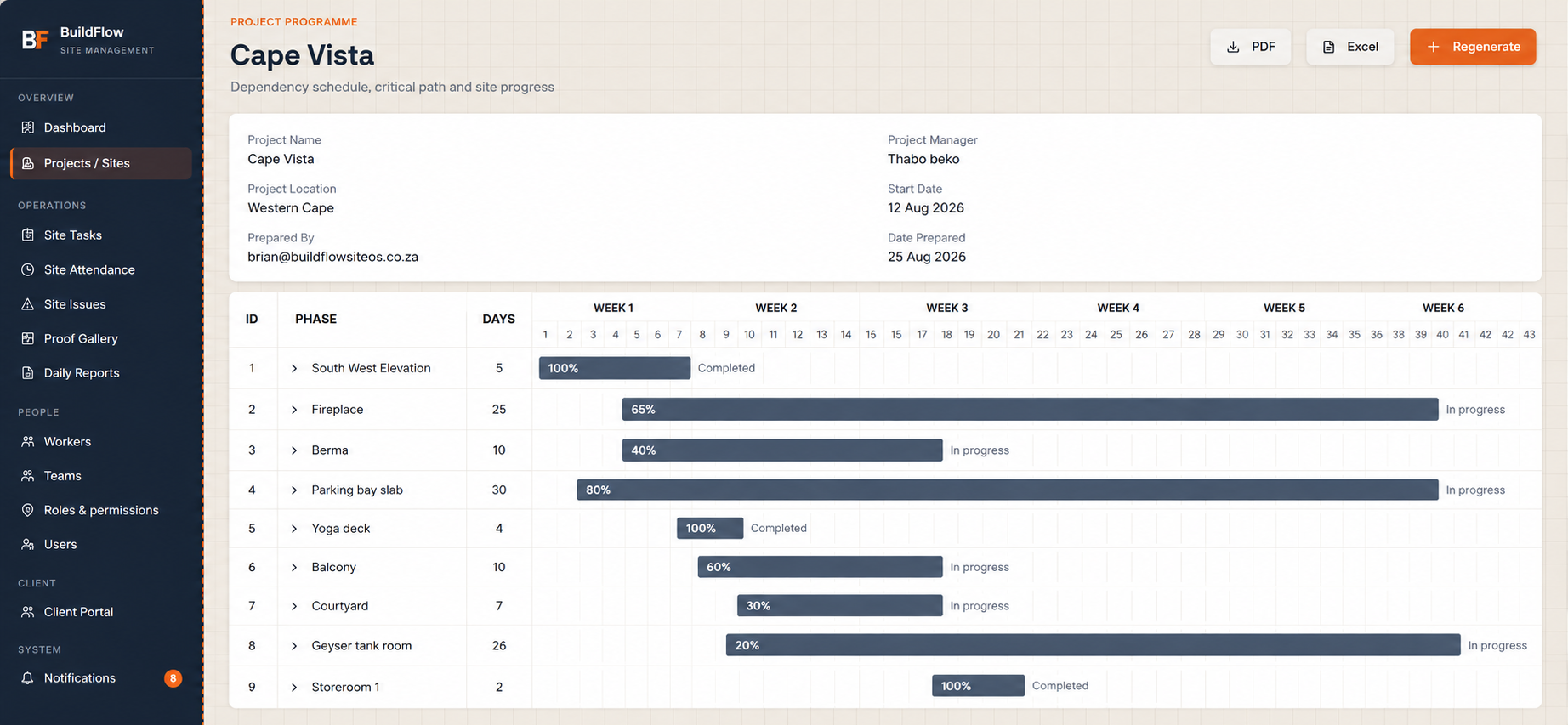
Programme, phases, tasks and dependencies turn planned work into accountable site action.

BuildFlow Site Hub
Bring programme, site execution, workforce attendance and timesheets, evidence, issues and reporting into one dependable view of your operation.
Managing subcontractors and consultants? Explore BuildFlow Field.
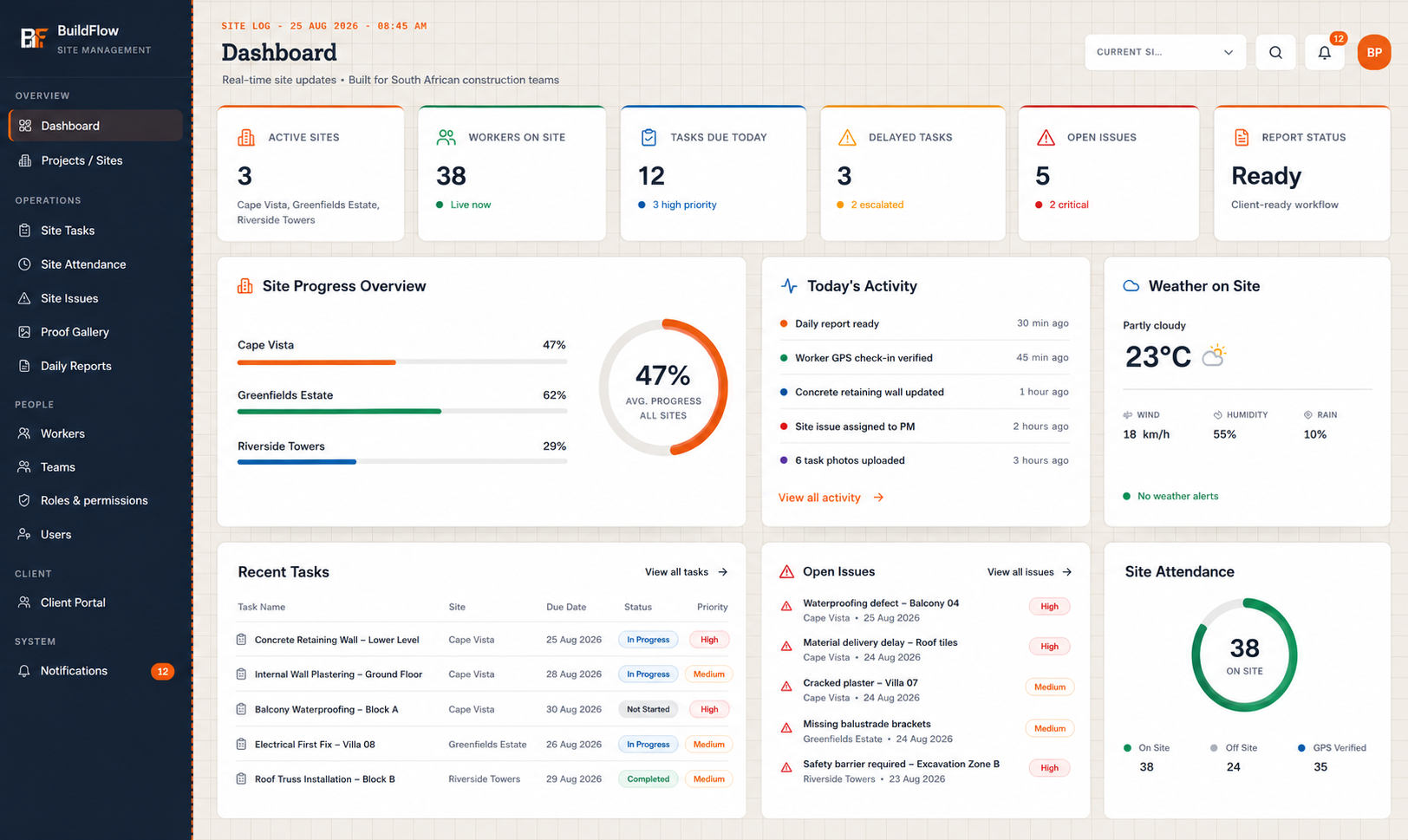
Every part of BuildFlow contributes to a clearer management picture—not another disconnected data source.
Programme, phases, tasks and dependencies turn planned work into accountable site action.
Workers see only what they need, while management can understand attendance, allocation and activity.
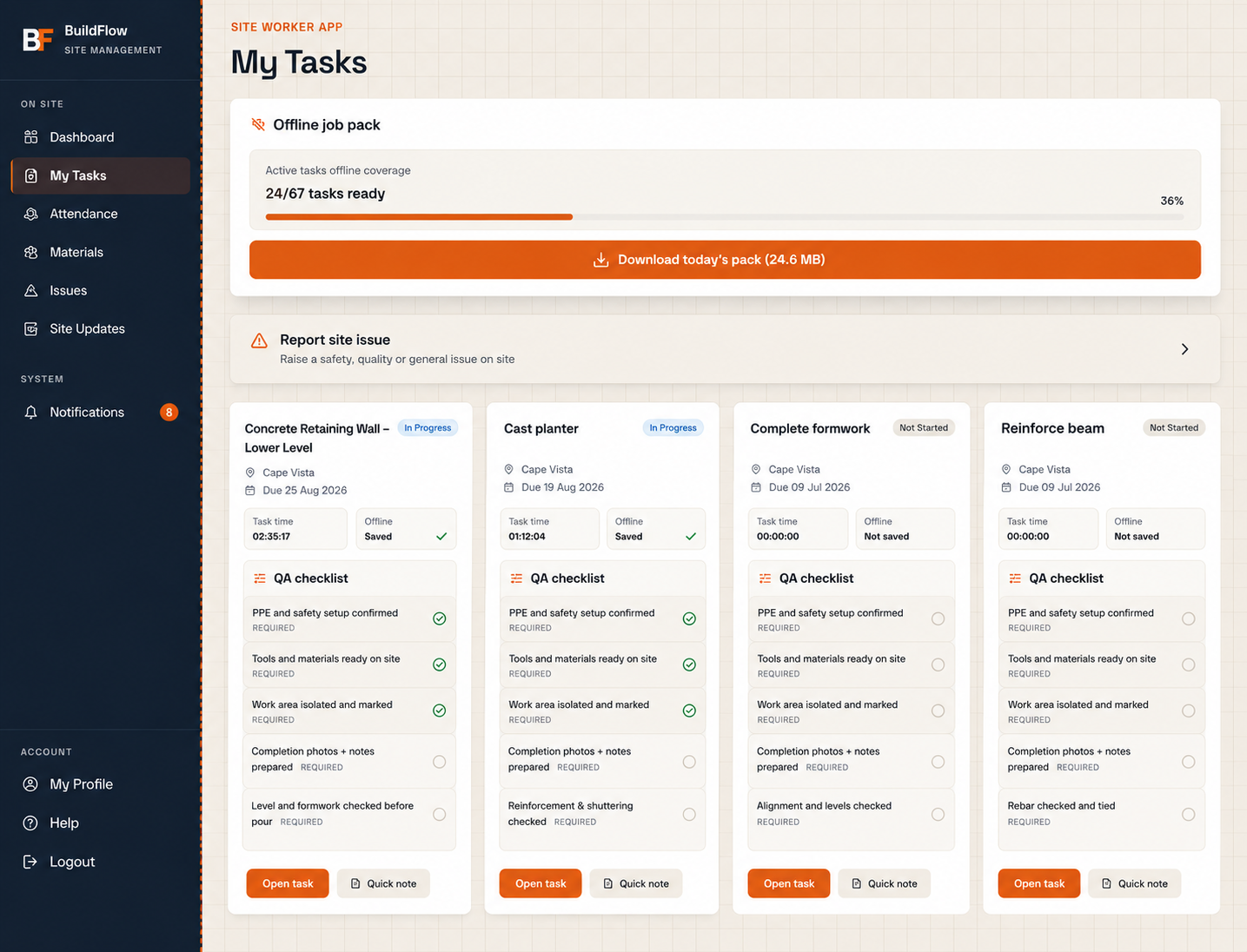
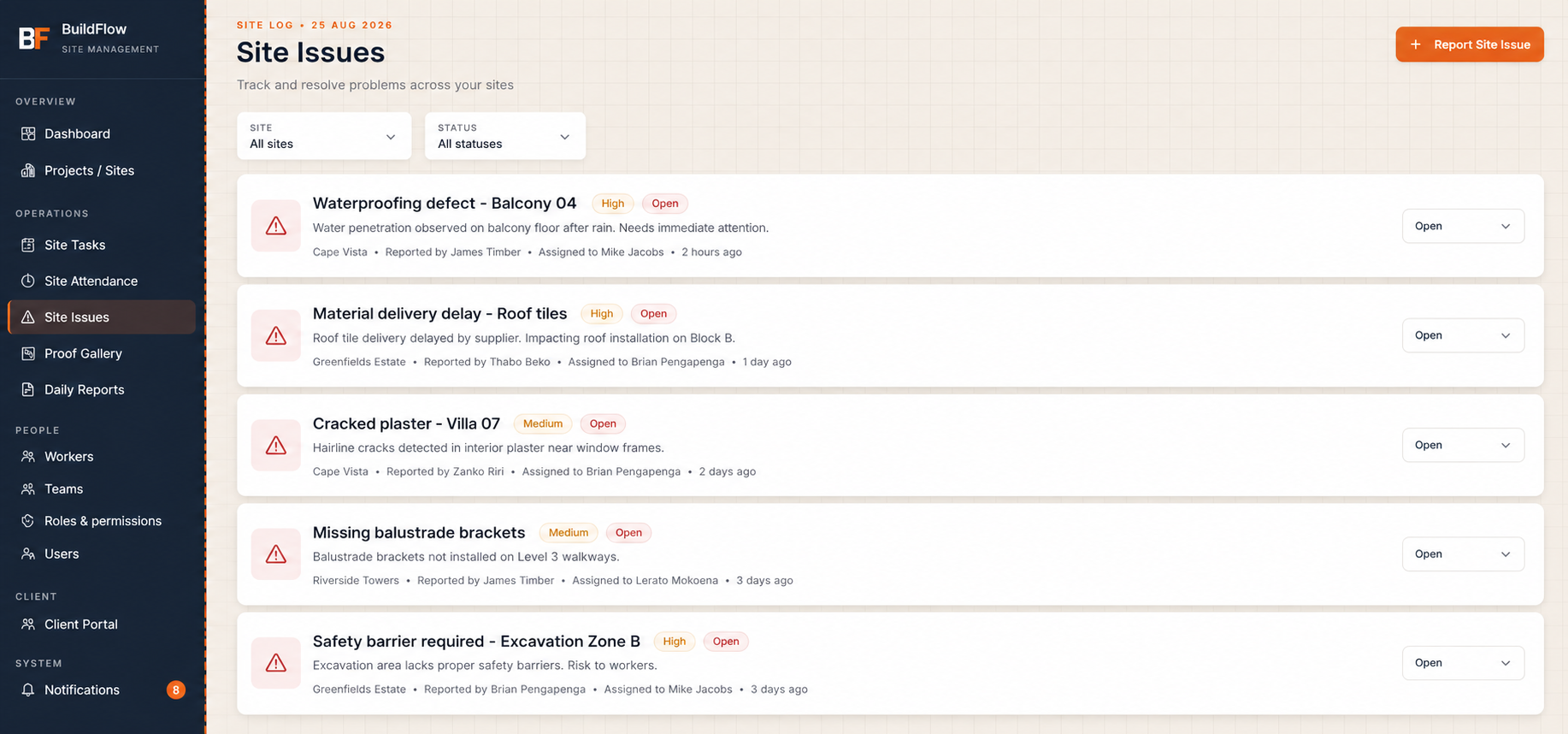
Photos, checklists, voice notes and issues are linked to the task and project context that matter.
Dashboards and reports surface project progress, exceptions, workforce and reporting status across active sites.
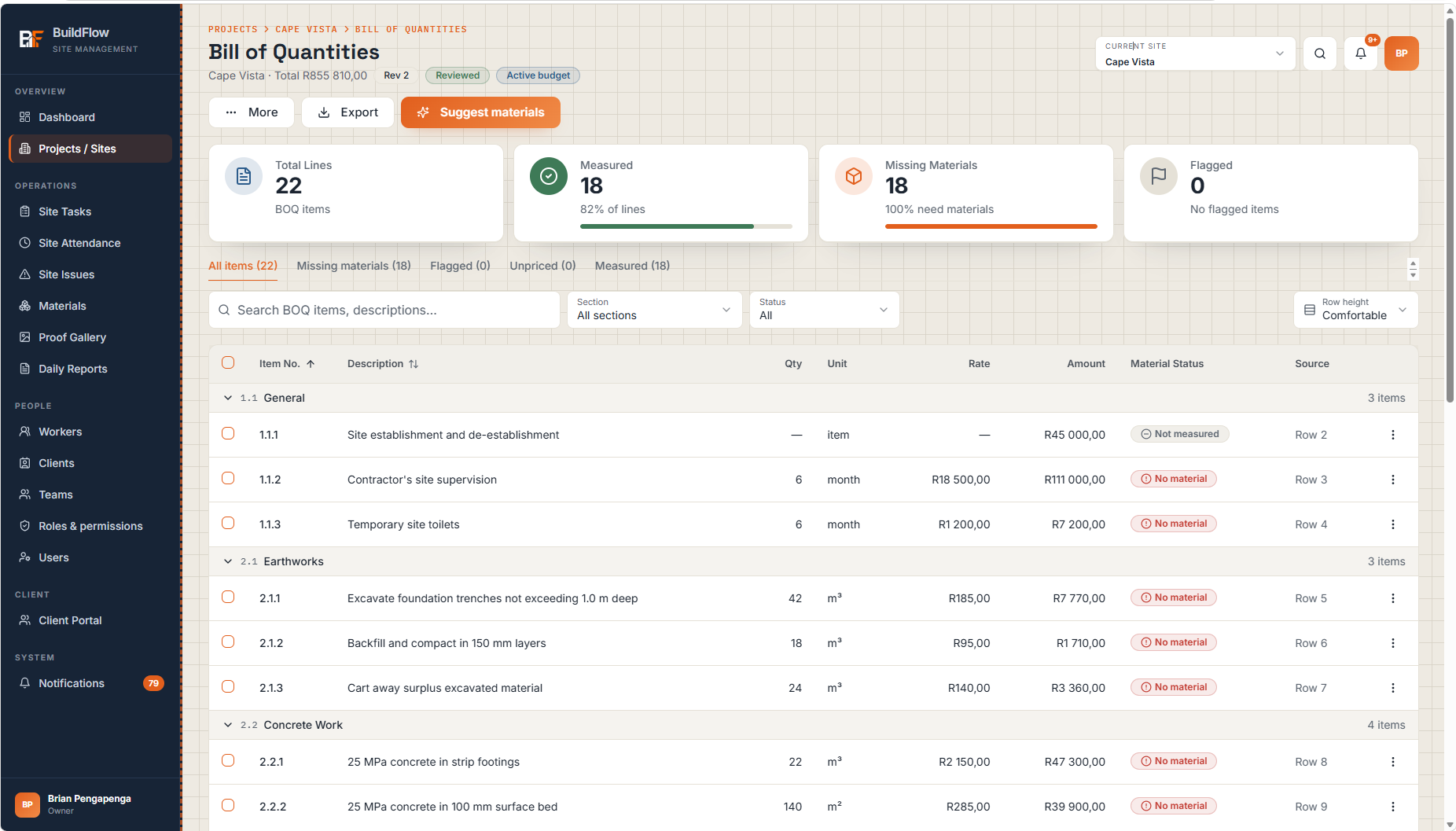
Import the bill of quantities as the site's material budget. Requests, deliveries and usage are tracked against it, so over-runs show up while there is still time to act.
Work does not disappear into separate tools. A task can carry its owner, status, evidence, issues and reporting context—giving teams and management a shared record of what happened.
Your BOQ becomes the material budget. Every request, delivery and bag used is recorded against it, so you see where you are over, and why, before the final account.
Upload it as Excel, CSV or PDF. Every line is read in and checked; anything unclear is flagged for a person to confirm, never silently corrected. Once reviewed, it is activated as the site's budget.
Say what each measured line uses, for example 7 bags of cement per m³ of concrete, plus a waste allowance. BuildFlow works out how much material the job should take, and can suggest links from your own catalogue for you to confirm.
Crews request materials from their phones. The office approves, orders and records each delivery with its supplier, delivery note and cost. Stock on hand is worked out from what was delivered, used and moved between sites, never typed in.
Budget against reality, split three ways so the right person acts: price (did we pay more than allowed?), quantity (did the site use more than the job needed?) and spend (what has gone out against the budget?), plus a forecast cost at completion.
Price, quantity and spend over-runs are kept apart, not blended into one confusing total.
Quantities are tracked from day one; rand figures appear as prices come in, never shown as R0.
Mistakes are voided, not edited away, so the history stands up when a client or QS asks.
Discover how BuildFlow Site Hub and Field can help your organisation improve construction delivery, reporting and project visibility.